
Not Delivered (iMessage)
If the Mac still receives iMessages and the iPhone sends normally, restart imagent and identityservicesd before signing out or resetting the account.
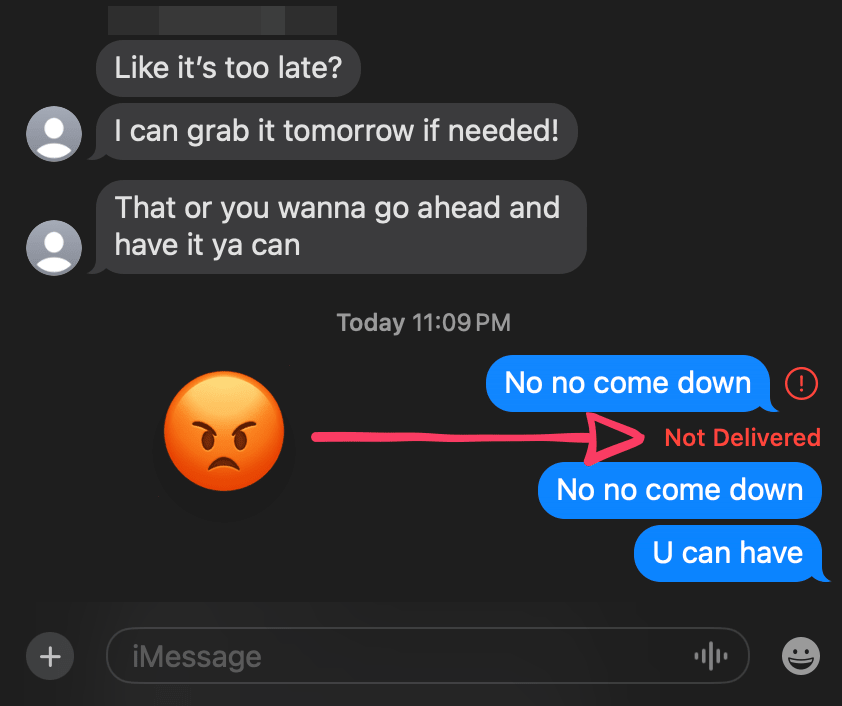
Every incoming message arrived. Every outgoing one died on the spot.
Every iMessage reached my Mac. Every one I sent died instantly with Not Delivered. My iPhone sent fine, which is exactly the kind of clue that has you signing out of your Apple account by nightfall.
Don't. The fix is four Terminal commands: no sign-out, no account reset, no lost messages.
Restart the Mac’s messaging services
Run this:
Restart Messages
Paste into Terminal. No sudo or sign-out required.
osascript -e 'tell application "Messages" to quit'
killall imagent 2>/dev/null
killall identityservicesd 2>/dev/null
open -a Messages
No sudo needed. This quits Messages and kills two background services;
macOS brings both back on its own.
Why receiving still worked
Messages.app is just the window. The work happens in two background processes:
identityservicesd keeps the Mac registered with Apple’s messaging services,
and imagent does the messaging. Each device maintains its own local state,
so the iPhone sending fine proved nothing about the Mac.
Whatever broke, it broke in one direction: receiving and syncing kept working while sending would not. Restarting the app and both services fixed it without confessing which process was guilty or why. Sleep, a network change, or an authentication refresh are the usual suspects; I didn’t catch mine in the act.
When this fix fits
Worth trying when your split matches mine:
- the iPhone sends fine
- the Mac still receives
- the Mac fails instantly the moment it sends
If nothing sends on any device, or the Mac has stopped receiving too, you have a different problem, and this note won’t fix it.
I restarted Messages and the two services. The next message went through.